Free wedding seating chart template
Every good seating chart starts with a well-organized guest list. Download our free guest list template, fill it in with Excel, Google Sheets or Numbers, and you will have everything your seating chart and your caterer need in one place.
Free, no email required. Opens in Excel, Google Sheets (File → Import) and Numbers.
What's in the template
The template has four columns. They are the ones you will actually use; anything more tends to stay empty.
| Column | What to write | Example |
|---|---|---|
| Name | Each guest on their own row, plus-ones and children included. | Emma Clarke |
| Group | Who they are to you. Guests in the same group usually sit together. | Bride's family |
| Diet | Meal choice, dietary needs and allergies. | Vegetarian, nut allergy |
| Notes | Anything that affects seating: high chair, wheelchair, “near the exit”. | Needs a high chair |
One row per person, not per invitation. “The Smith family” on one row hides four seats and four meals. Splitting them up from the start is the single best thing you can do for your seating chart.
How to fill it in
- Paste in your RSVP list. Only the guests who said yes.
- Add a group to every guest. Keep the group names short and consistent: “Groom's work” every time, not “Work (groom)” on some rows.
- Fill in the diet column as replies come in. Write it in plain words, for example “vegan”, “gluten-free” or “shellfish allergy”.
- Sort by group to check that everyone has one, and that no group name has a typo.
From the template to a seating chart
A spreadsheet is great for the list but awkward for the seating itself: moving a guest means cutting and pasting rows, and you cannot see the room. Once your list is ready, you can paste it straight into Petaltable:
- Select the rows in your spreadsheet, headings included, and copy them.
- In Petaltable, open Guests → Import and paste. The name, group and diet columns are recognized automatically, and dietary words like “vegan” or “nut allergy” become tags.
- Add your tables, then tap a guest and a table to seat them, or drag them on a computer.
Your guest list stays on your device; it is never uploaded to a server.
Seating chart display ideas
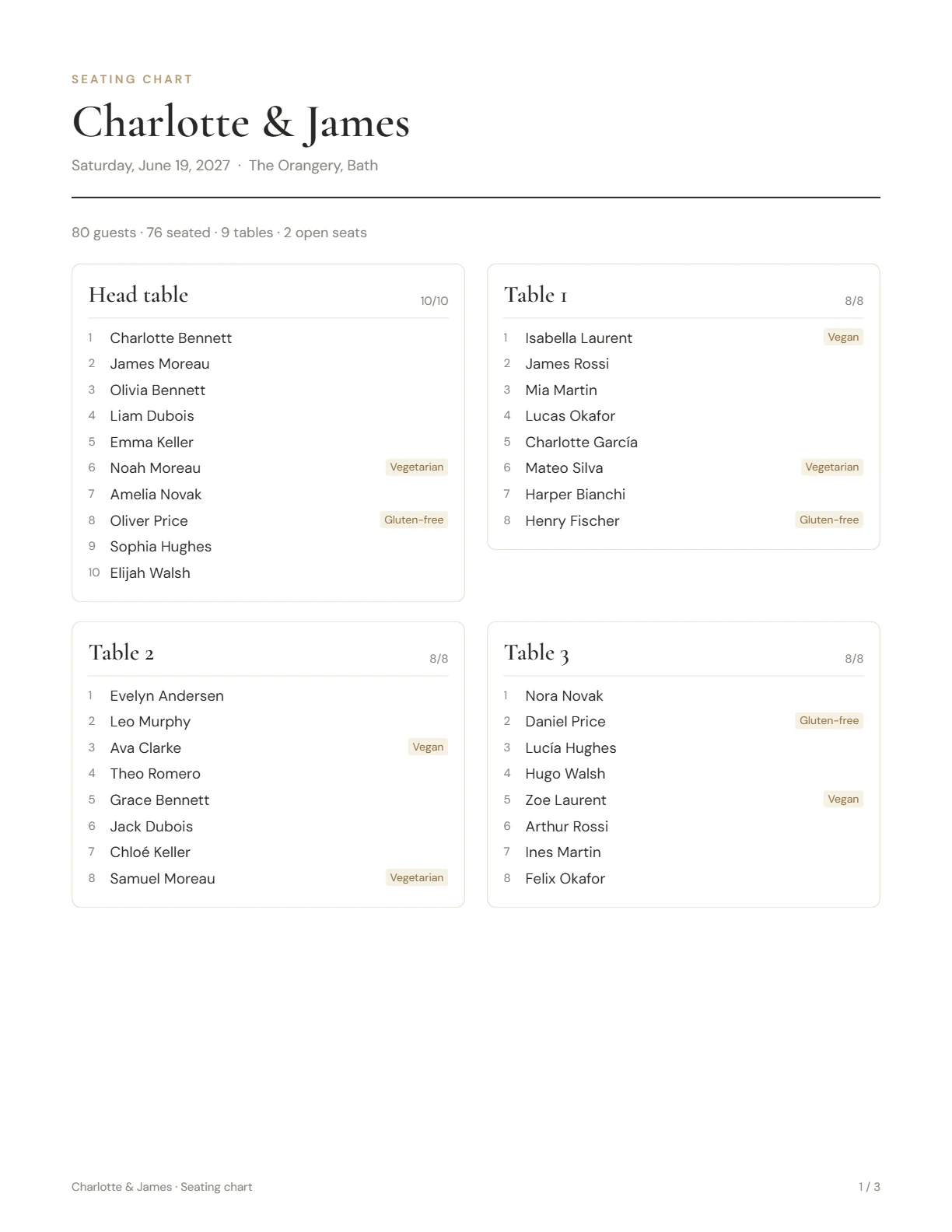
The chart guests see at the entrance can be organized in two ways:
- Alphabetical (“find your table”): guests listed by surname with their table number. Guests find themselves in seconds, so this works best for larger weddings.
- By table: each table with its guests. It looks lovely, but guests have to scan every table to find their name, which is slower above about 80 guests.
For display, a framed print, a mirror or an easel board all work well. Ask your print shop which file they prefer; a PDF can usually be enlarged to poster size for a board.
Other things to plan alongside the chart
- Table numbers or names on each table, matching the chart.
- Place cards if you assign specific seats.
- A list for the caterer with meals per table.
- The reception floor plan for the venue staff. See how many tables fit and which size to choose.
Turn your list into a seating chart
Paste the template into Petaltable and seat everyone in an evening, then print a seating chart, a find-your-table list and a floor plan. Free for up to 50 guests, no sign-up.
Start freeSee how it works